On the App Store · iPhone & iPad · three days free
Know what you
already have.
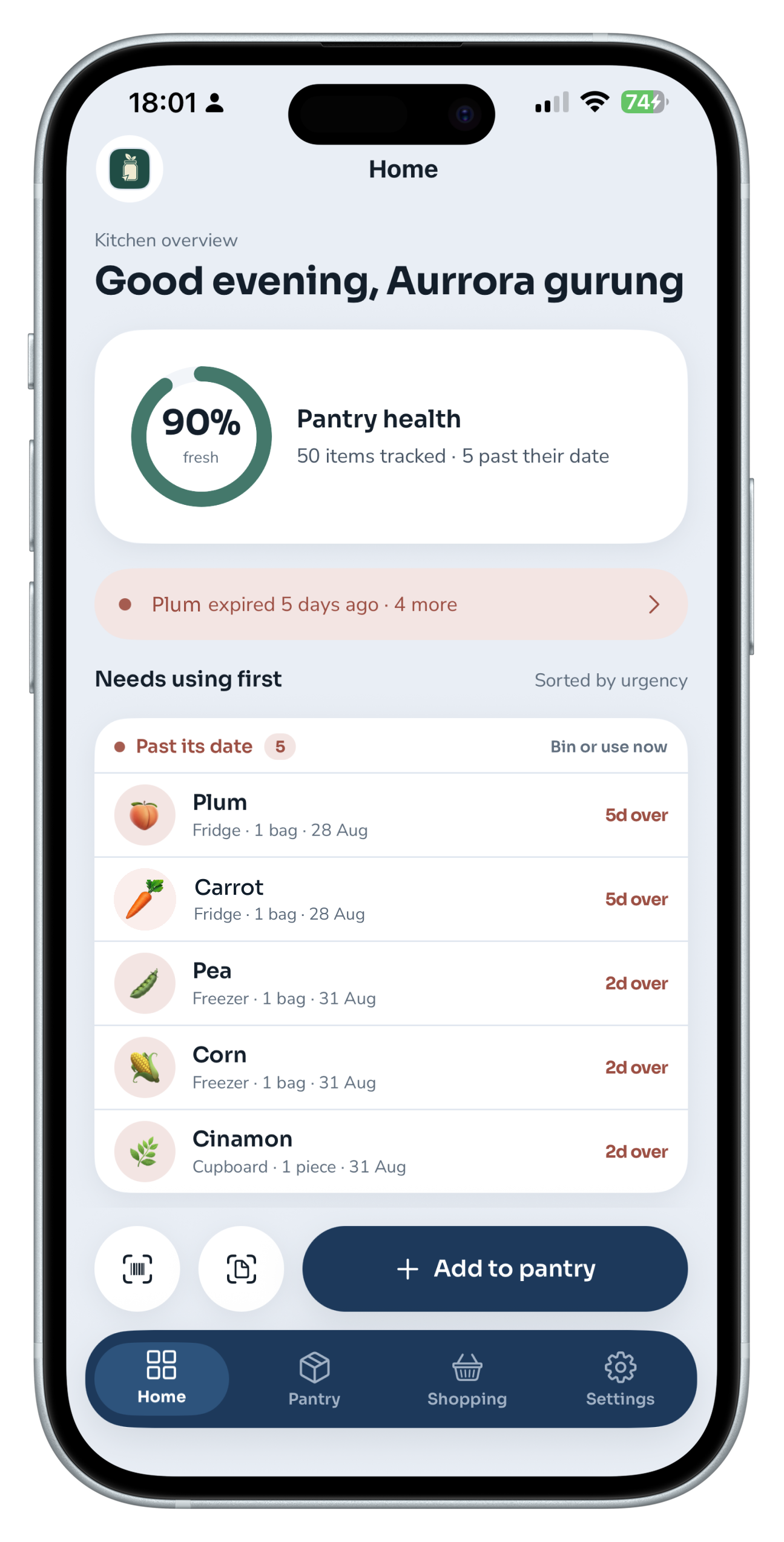
The food you forget is food you paid for. Smart Pantry keeps every item in your kitchen with its date attached, and puts whatever needs eating first at the top of the screen.
Three days free. Then £9.99 a month. Cancel any time.
The duplicate hint
It speaks up in the shop, not after
Type “milk” into the shopping list while there is milk in the fridge and Smart Pantry answers before you have finished the word. If the one you own has gone off, it says something different instead. Two sentences, and the difference between them matters. The first stops you buying a second bottle. The second stops you assuming you are covered. A note on your phone can do neither, because a note does not know what is in your fridge.
You type “milk”
Already in your pantry — semi-skimmed milk, 2L, in the Fridge.
Or, if it has turned
The one you have has gone off — milk in the Fridge, two days over.
The back row of the fridge is where money dies.
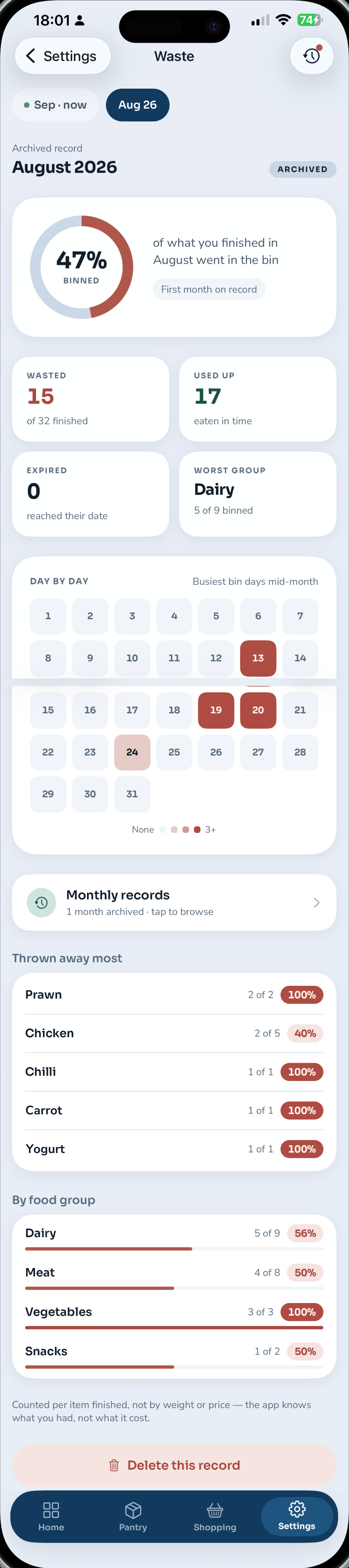
Real numbers from one kitchen’s first month on Smart Pantry — not an industry estimate.
of everything finished in August went in the bin rather than getting eaten.
items wasted against 17 used up in time — the split nobody can see without a record.
the worst group at 5 of 9 binned. You cannot fix a habit you have not measured.
Receipt scanning
One photo, fifteen items.
A £26.53 Lidl receipt becomes your pantry in about eight seconds.
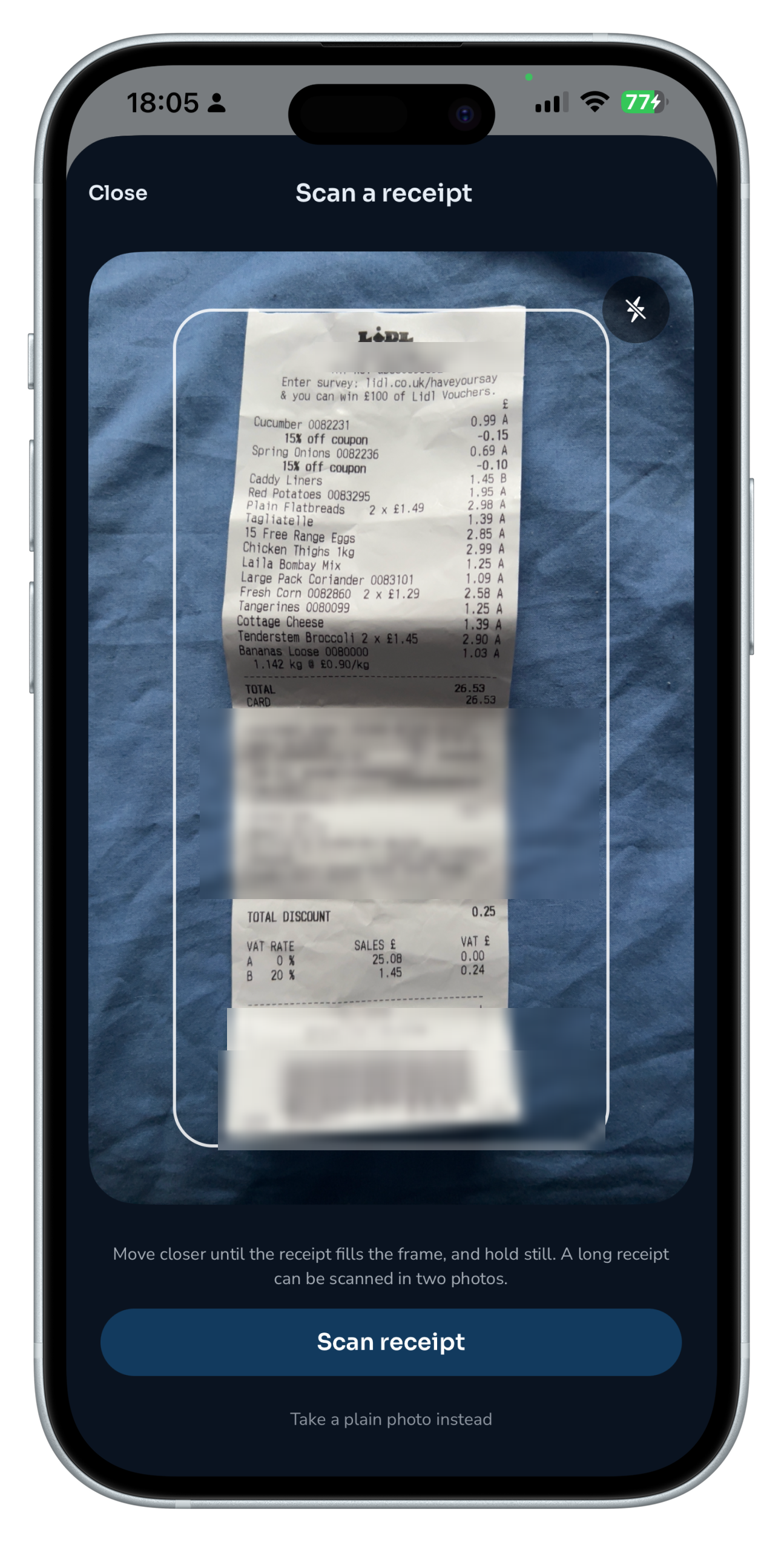
Move closer until it fills the frame and hold still. A long receipt can be taken in two photos.
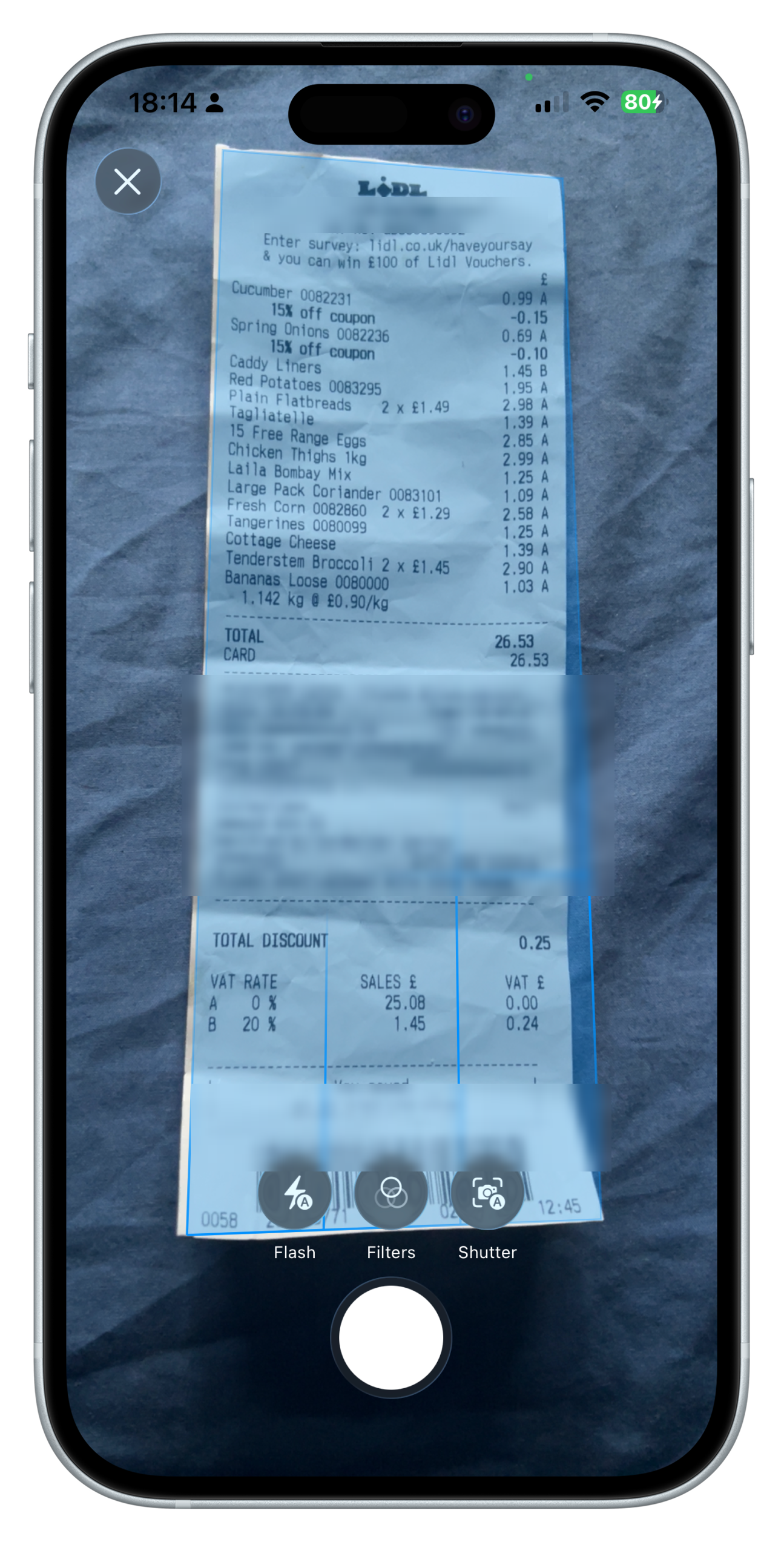
The receipt is found and squared up automatically. Confirm, and it starts reading.
Fifteen items, priced, grouped and adding back up to £26.53.
Right down to Bananas Loose at 1.142 kg, read off a crumpled till receipt. Tap any name to fix a misread, untick what is not food you are keeping, then add the lot in one go.
And it puts the shopping away. Every line comes off the receipt with its place already chosen — the chicken to the fridge, the peas to the freezer, the rice to the cupboard — and its food group read off the name, so you are never asked what kind of thing a thing is. Where it cannot tell, it says cupboard. A bag of rice in the fridge is merely silly; chicken left in the cupboard sounds exactly like the app telling you it is fine.
Reviewed before anything is added
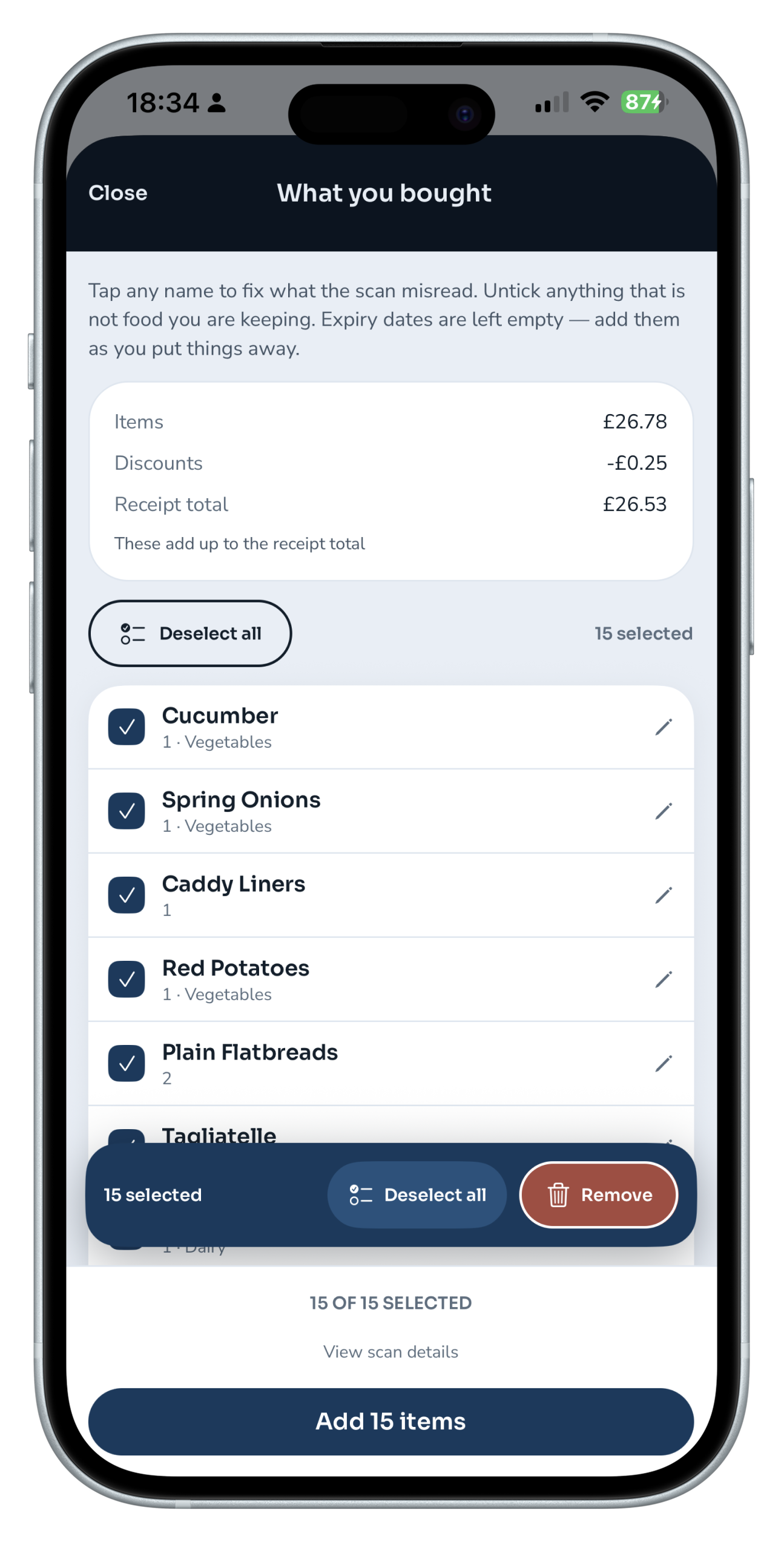
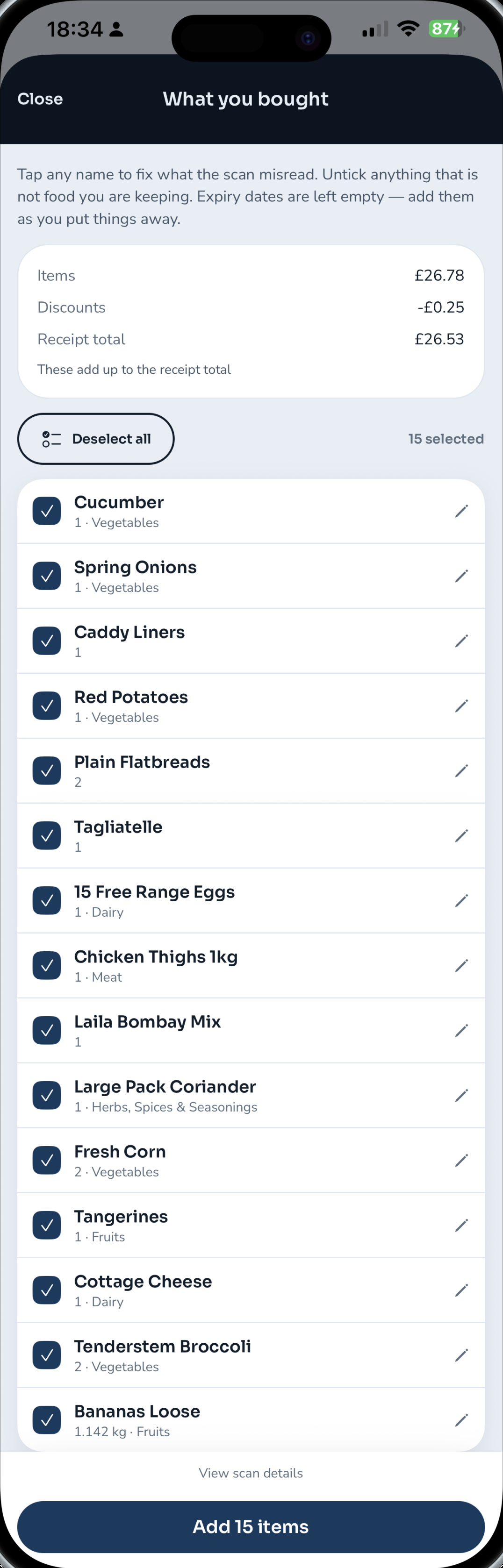
Scroll all fifteen inside the phone
Included in Pro
What it does every day
Tap any one to see it on the phone.
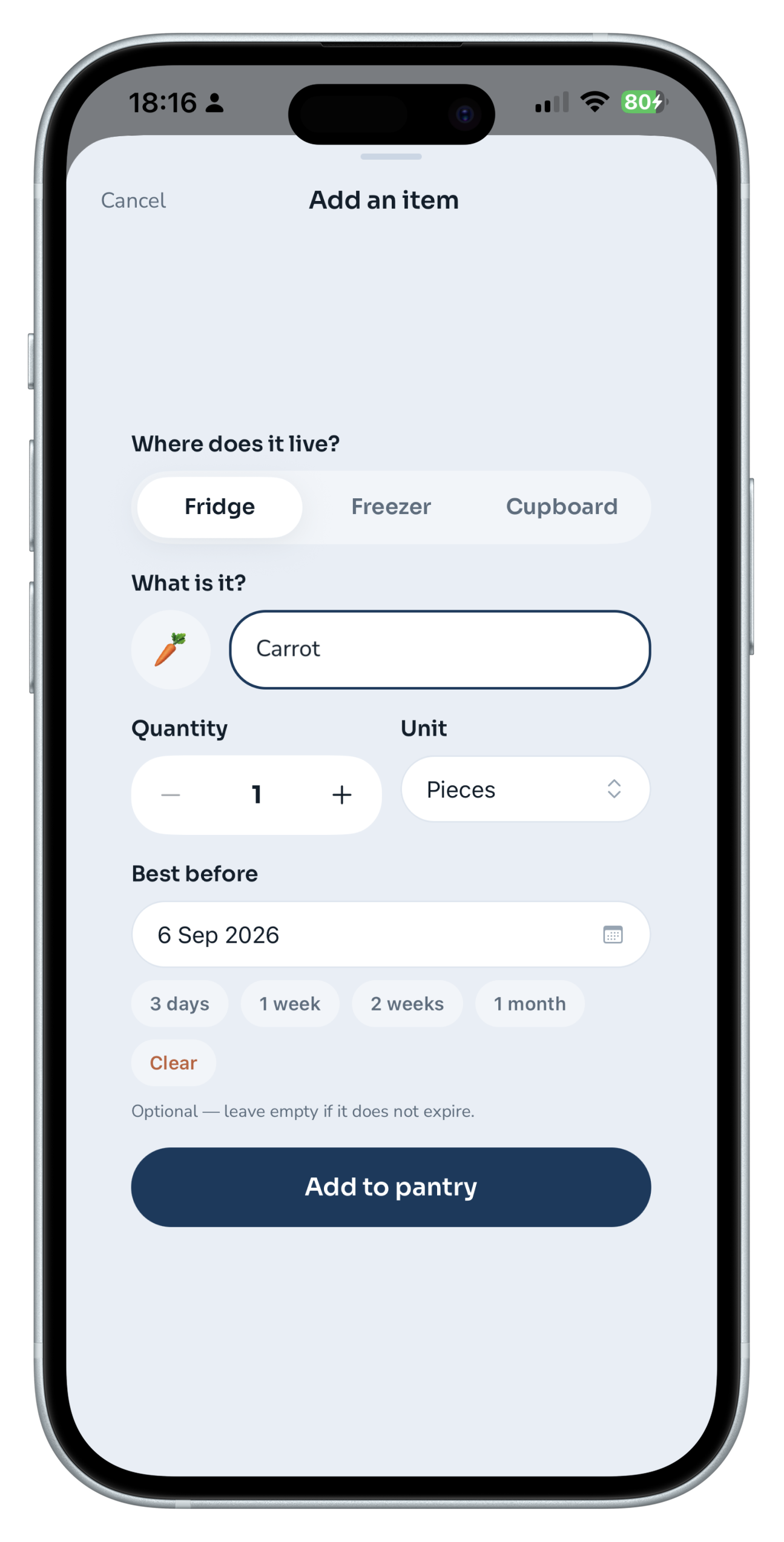
Add an item · shelf, quantity, unit · tap for next
Included, not an upgrade
Faster in, and a number that goes down
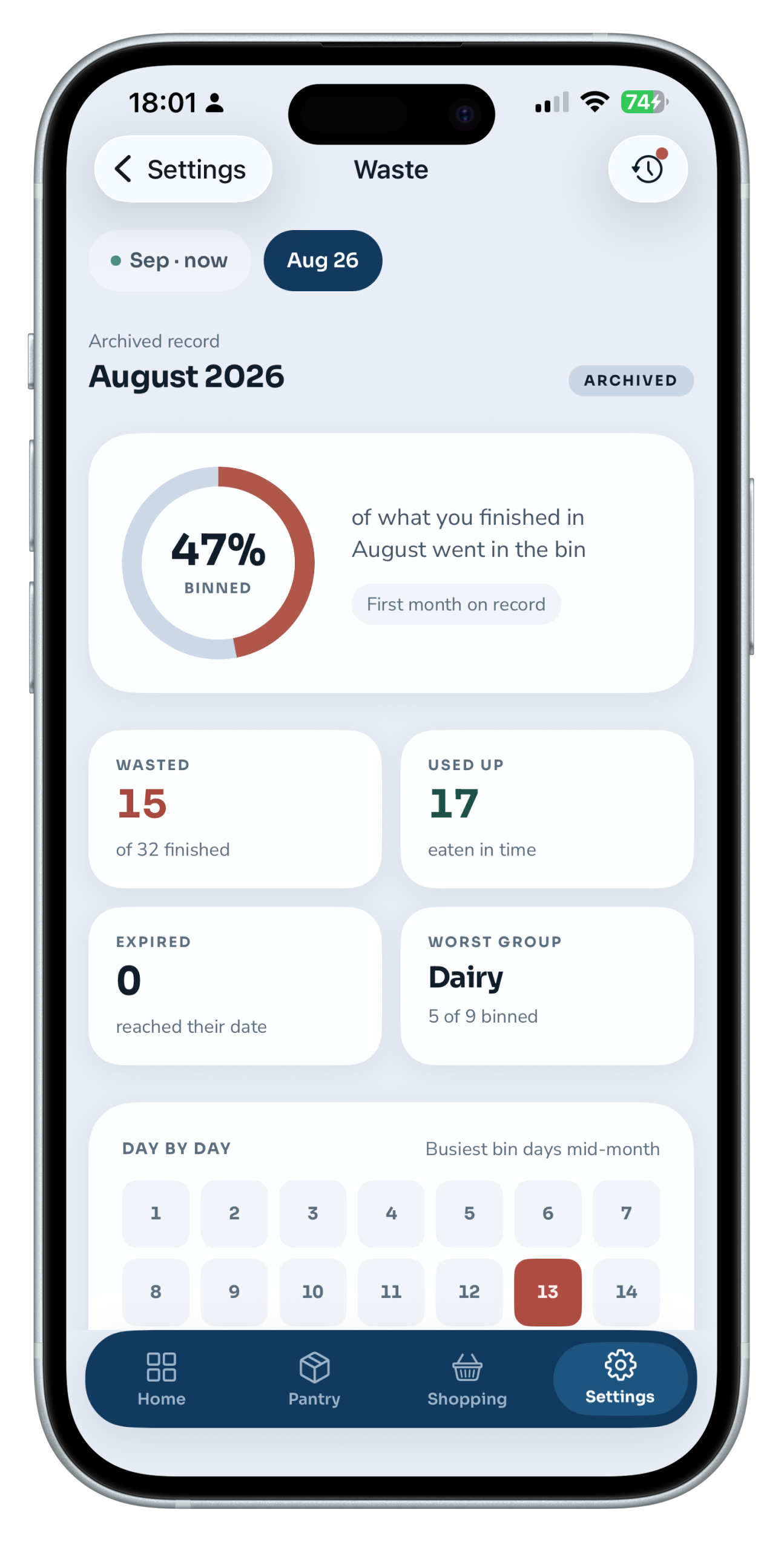
Scroll the month inside the phone
Waste analytics
Month by month, with a day-by-day heatmap and the food group doing the most damage.
Receipt scanning
A whole shop in one photograph, priced, totalled and grouped, read on the device.
Restock nudges
Kitchen roll — usually every 4 days · last bought 9 days ago.
It learns your rhythm from your own shopping, not from a table of shelf lives: what matters is the gap between your purchases. Past its usual gap, a thing appears on the list with the reason attached, so you can disagree in one tap.
Barcode scan
Point at the packet and the name and category arrive filled in. Only the barcode number leaves the phone.
Reminders
A loaf gets one day. A tin gets a fortnight.
Every kind of food has its own notice period, because three days’ warning on a loaf is too late to do anything but eat toast, and three days on a tin of tomatoes is a notification about nothing. Anything the app cannot place gets three days, which is an admission rather than a guess. It all arrives once, at eight in the morning, as a single summary — not a stream of alerts through the day.
One notification, named items, scheduled on the phone itself.
By hand
Four seconds, and you never type the word “dairy”.
The objection to an app like this is always the same one: it sounds like homework. Adding a carrot is a name, one tap for Fridge, Freezer or Cupboard, and a date from four chips. The food group is read off the name. The little picture beside it is chosen for you, and you can overrule it if you would rather it were something else. Nothing else is asked, because nothing else is needed — and left dateless, the pasta simply keeps count instead.
“A note does not know there is already milk in the fridge.”
“Three days’ notice on a loaf is too late to do anything but eat toast.”
How the numbers work
Numbers that are not trying to impress you
The ring is generous on purpose
It is the share of your kitchen that is not asking for attention, worked out with the same notice periods the reminders use — so a loaf that is perfectly fine does not drag it down, and an empty pantry reads a hundred per cent rather than nought.
The waste figure is strict
Only the things you told it about are counted. Food that merely passed its date is shown as its own separate number and never folded into the rate, because a yoghurt still sitting in the fridge has not been thrown away.
The months are yours
They are worked out from your own history, so the first time you open the waste screen you are looking at what actually happened — not at a chart that starts the day you subscribed.
Privacy
Three claims, all checkable
Receipt photos stay on the device
They are read on your device by ML Kit text recognition and never leave it.
Barcode lookup sends only the number
A barcode lookup sends the number printed on the packet and nothing else. Not your account, not your pantry, not who you are.
Reminders are scheduled locally
Producing one sends nothing about what you own anywhere.
No advertising and no tracking of any kind. Account deletion is immediate and permanent, from inside the app.
Plans
Three days free, then pick a plan
There is no free tier. You get three days by tapping Subscribe on first launch, and you can cancel inside that window without paying.
Subscribe here or in the app — same plan, same price. If you subscribe here, download Smart Pantry from the App Store and sign in with the same account.
Pro
Everything, billed monthly
Pro
The same plan, £19.89 less a year
Price and renewal terms. Your subscription renews automatically — monthly at £9.99, or yearly at £99.99 — at the same price, until cancelled. Payments are non-refundable except for billing mistakes, as the Terms of Use set out. Cancel any time from your account; cancelling stops the next payment and you keep access until the period you have paid for ends.
Prices on this page are in GBP. In the app, the App Store shows the price in your local currency.
Questions
“It is not a diary of what you lost. It is a nudge while there is still time.”
Why this exists
Three bags of coriander.
“I bought coriander three times in one month and used it once. The other two went in the bin unopened. The problem was not my memory — it was that nothing in my kitchen was writing anything down.”
I grew up in Tanahu, in Nepal, and went to school there until I finished secondary school. Most of what we ate was grown organically, and a lot of it by my family. By eleven or twelve I was out in the fields. Season by season we grew maize, rice, wheat and buckwheat, lentils, mangoes, guavas and jackfruit, and fresh coriander, mint and spinach. Once you have planted something and waited months for it, you do not throw it away without a second thought.
Then I came to the UK and spent two years working in hospitality. I saw how much food a busy kitchen bins at the end of a night. In a business, some of that gets written off as the cost of trading. Coming from where I did, it never sat right with me.
What bothered me more was seeing it happen at home, where I was actually trying. You can care about food and still lose track of it. Nobody’s head can hold every date in the fridge at once — the yoghurt behind the jars, the spinach turning in the drawer, the coriander I was sure I had run out of.
So I built a rough version and used it for a month before I showed it to anyone. At the end of that month, 47% of everything I finished had gone in the bin rather than into a meal — fifteen items wasted against seventeen used in time, and dairy the worst at five of nine. The number was hard to argue with, because I had kept the record myself.
Smart Pantry is not there to think for you. It is there so the food you have already paid for gets eaten — better for your money, and fairer to everything that went into growing it.
It is an old habit, really: know what you have, and use it while it is still good. I built this to keep that habit going in my own kitchen. I hope it earns a place in yours.
Jeewan · Feltham, London · building it alone
Made by one person, in one kitchen, in Feltham.
Start with tonight’s fridge.
Add five things, put a date on them, and see what the week looks like when nothing gets forgotten.